
Exploring Minecraft guides and multiplayer resources.
Searching for minecraft playbattlesquare can produce confusing answers. Some pages describe it as a competitive Minecraft arena, while others present it as a website offering Minecraft guides, gaming news, building ideas, and gameplay tips.
The most accurate explanation is that PlayBattleSquare appears to be a gaming-content platform rather than an official Minecraft game, Mojang product, or clearly verified public server. Its website publishes articles about Minecraft alongside broader gaming topics. Therefore, players should treat it as an informational resource unless a particular article provides a working server address, supported game version, rules, and ownership details.
This guide explains what the term means, what visitors may find on the platform, how to evaluate its advice, and how to stay safe when joining any Minecraft multiplayer server.
What Is Minecraft PlayBattleSquare?
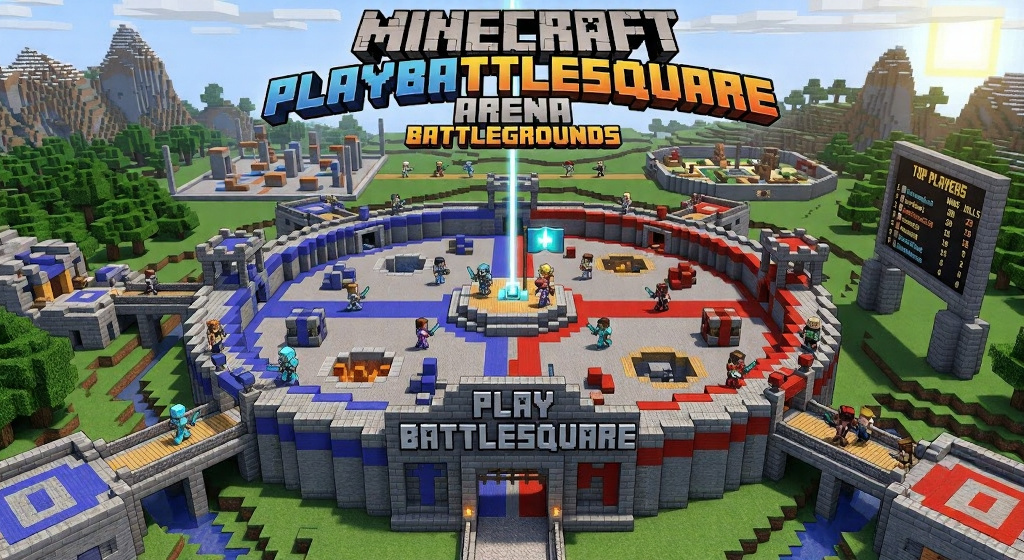
Minecraft PlayBattleSquare commonly refers to Minecraft-related content published on the PlayBattleSquare gaming website. The site covers subjects such as building ideas, survival tips, automatic farms, game updates, performance advice, and other gaming news.
It is important to separate three different concepts:
| Term | What it means |
|---|---|
| Minecraft | The sandbox game developed by Mojang Studios |
| PlayBattleSquare | A third-party gaming-content website |
| Minecraft server | An online world hosted by Mojang, a partner, or a community operator |
PlayBattleSquare is not listed as an official Minecraft product on the main Minecraft website. Some independent articles call it an arena, server, community, or battle mode, but these descriptions are inconsistent. No reliable public source reviewed for this guide confirmed one official server address or a single standardized game mode connected to the name.
That does not make every article about it inaccurate. It simply means readers should verify individual claims before downloading files, joining servers, or following technical instructions.
Is PlayBattleSquare an Official Minecraft Platform?
No evidence currently shows that PlayBattleSquare is owned, operated, or officially endorsed by Mojang Studios or Microsoft.
Official Minecraft services and resources normally appear on Minecraft.net, the Minecraft Help Center, the Marketplace, Realms, or approved server listings. Mojang also maintains an Official Minecraft Server List where participating servers must follow stated standards and eligibility requirements.
This distinction matters because third-party Minecraft websites can publish useful guides without being official. A website may explain crafting, redstone, survival, building, or multiplayer strategies while remaining completely independent from the game’s developer.
Readers should therefore interpret PlayBattleSquare as a companion information source, not as a replacement for official Minecraft support.
What Content Can Players Find There?
The website’s Minecraft category includes a range of informational articles. Based on currently visible pages, its coverage may include the following areas.
Building and Design Ideas
Minecraft building articles can help players plan houses, bridges, farms, rooms, and decorative structures. These guides are most helpful when they provide:
- A clear materials list
- Screenshots from several angles
- Accurate block counts
- Separate Java and Bedrock notes
- Step-by-step construction instructions
- Information about the Minecraft version used
A strong building guide should offer more than finished pictures. It should explain how the design works and how players can adapt it to different worlds.
Survival and Farming Advice
PlayBattleSquare has published guides relating to Minecraft farms and survival systems, including an automatic-farm article involving components such as redstone and pistons.
Before following any farm tutorial, check its publication date and supported edition. Minecraft mechanics can differ between Java Edition and Bedrock Edition, and updates may change mob behavior, redstone timing, spawning conditions, or item collection.
Multiplayer and Combat Tips
Several independent pages associated with the search term describe fast movement, terrain use, quick building, arena combat, and team-based challenges. However, these articles do not consistently identify the same verified server or set of rules.
The advice may still apply to common Minecraft PvP modes, including:
- Bed Wars
- SkyWars
- Survival Games
- Kit PvP
- Capture-the-flag modes
- Custom battle arenas
Players should not assume these modes belong to one specific PlayBattleSquare server unless the server operator provides verifiable information.
General Gaming News
PlayBattleSquare also covers topics beyond Minecraft. Its home page includes broader gaming discussions, game reviews, technology content, and industry news. That makes it closer to a general gaming publication than a dedicated Minecraft service.
How to Evaluate a PlayBattleSquare Guide
Third-party tutorials vary in quality. Use the following checks before depending on one.
Check the Minecraft Edition
Minecraft Java Edition and Bedrock Edition do not always use identical systems. They also connect to multiplayer environments differently.
Java players generally add compatible servers through the Multiplayer menu, while Bedrock players can join friends, Realms, featured servers, or supported external servers depending on their device. A Java client cannot normally join a Bedrock server without special cross-platform server software.
A useful tutorial should clearly state which edition it covers.
Confirm the Game Version
Outdated instructions can fail after an update. Official Minecraft support recommends using matching versions for multiplayer and notes that older versions may cause connection errors.
Look for a version number near the title, introduction, materials list, or server instructions.
Look for Original Evidence
Trustworthy guides normally include original screenshots, tested steps, author information, update dates, and explanations of limitations.
Be careful when an article makes broad claims without showing:
- A working example
- A server address
- A game version
- Screenshots
- Ownership information
- Testing details
- Links to authoritative sources
A polished article is not automatically an accurate article.
Compare Important Instructions
For simple inspiration, one guide may be enough. For downloads, commands, server setup, mods, account settings, or purchases, compare the instructions with official documentation.
Minecraft provides official help pages for joining servers, managing multiplayer permissions, troubleshooting connection problems, and setting up Java servers.
How to Join a Minecraft Server Safely
A website may mention an exciting battle server, but never enter random connection details without checking the source.
1. Find the Real Server Information
A legitimate server listing should provide:
- The exact server name
- Java or Bedrock compatibility
- Supported Minecraft versions
- A server address
- Rules and moderation policies
- Operator or support information
- Details about optional purchases
The Official Minecraft Server List is a safer starting point because listed servers are expected to follow Minecraft community requirements. Bedrock players can also browse partner servers within the game.
2. Avoid Suspicious Downloads
Joining a normal server should not require you to download an unknown program, share your Microsoft password, disable security software, or install an unrelated browser extension.
Some servers use optional resource packs, but players should still check who created the pack and whether the source is trustworthy.
3. Protect Personal Information
Minecraft’s official safety guidance advises players not to share private details such as their real name, age, location, password, contact information, or other identifying information with strangers. Players should also avoid adding people they do not know and trust.
Use block, mute, and report tools when someone behaves badly.
4. Review Purchases Carefully
Community servers may offer ranks, cosmetics, passes, or other paid extras. Before paying, check what is being sold, whether the benefit is temporary, whether refunds are available, and whether a parent or guardian needs to approve the purchase.
Do not treat a third-party website’s description as proof that a purchase is safe or worthwhile.
Common Minecraft Multiplayer Problems
Players searching for PlayBattleSquare may actually be trying to solve a server connection problem. Here are several common causes.
Edition Mismatch
Java players need a Java-compatible server. Bedrock players need a Bedrock-compatible multiplayer world, Realm, or server.
Version Mismatch
The server and player may be running different Minecraft versions. Updating the game often resolves this issue.
Multiplayer Permissions
Child and teen accounts may have multiplayer access restricted through Microsoft family settings. An adult family organizer may need to review Xbox online-safety permissions.
Incorrect Server Address
One wrong letter, number, space, or port can stop the connection. Copy the address from the server’s verified official page rather than an unrelated repost.
Server Downtime
The server may be offline, restarting, full, under maintenance, or no longer operating. Check its verified status page or official community announcement.
Is PlayBattleSquare Useful for Minecraft Players?
It can be useful as a source of ideas, especially for readers looking for building inspiration, gameplay suggestions, farming concepts, or general gaming articles.
However, its information should be treated the same way as content from any independent gaming blog. Useful advice should be tested, version-specific, transparent, and supported by clear evidence.
The biggest concern around this keyword is not necessarily the website itself. It is the inconsistent way other pages define the term. Some call it a blog, while others describe a server, platform, community, arena experience, or separate game mode.
A careful reader should avoid assuming those labels are interchangeable.
Conclusion
The safest and most accurate way to understand minecraft playbattlesquare is as a search phrase connected to Minecraft content on the PlayBattleSquare gaming website. It is not currently verified as an official Mojang service, and claims about a dedicated arena server or unique game mode remain unclear.
Use the site for ideas and general guidance, but confirm technical instructions through official Minecraft resources. Before joining any server, verify its edition, version, address, ownership, rules, moderation, and safety practices.
That approach gives you the useful parts of community-created content without relying on unsupported claims.
FAQs
Is PlayBattleSquare an official Minecraft website?
No. PlayBattleSquare appears to be an independent gaming-content website. Official Minecraft information is published through Minecraft.net, the Minecraft Help Center, Realms, the Marketplace, and other verified Mojang channels.
Is Minecraft PlayBattleSquare a playable server?
Some third-party articles describe it as a server or arena mode, but a single verified official server address was not clearly established during research. Confirm any address through the server operator’s official page before joining.
Does PlayBattleSquare offer Minecraft tutorials?
Yes. Its Minecraft section contains articles about subjects such as builds, houses, survival, farms, and other gameplay topics. The available content may change as new articles are published.
Can Java and Bedrock players join the same server?
Not by default. Java and Bedrock use different multiplayer systems. Cross-play may be possible on servers using special compatible software, but players must follow that server’s specific instructions.
How can I find a trustworthy Minecraft server?
Start with the Official Minecraft Server List or Bedrock’s in-game partner servers. Review the server’s rules, supported version, moderation, operator details, and purchase policies before joining.
What should I do if Minecraft multiplayer is blocked?
Check your Microsoft or Xbox privacy settings. For a child account, the adult family organizer may need to allow multiplayer access and update the account’s online-safety permissions.
For more updates visit: Hiding Me