
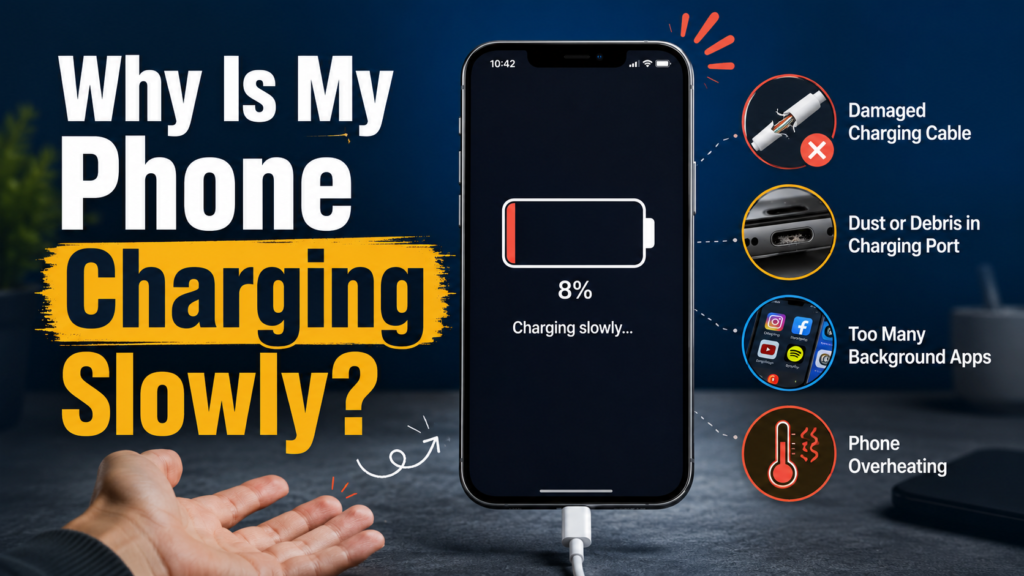
A phone’s charger, cable, temperature, and port can all affect charging speed.
If you are asking, “why is my phone charging slowly?”, the usual cause is not the battery itself. A weak or incompatible charger, a worn cable, excessive heat, heavy phone use, a dirty port, or battery-protection software often limits charging speed. Start by testing a known-compatible wall charger and cable while the phone is cool and idle.
How this guide was created: This evidence-based guide compares current Apple, Google, Samsung, and USB-IF documentation. It does not claim hands-on testing with every phone model.
Quick Diagnosis: Match the Symptom to the Cause
| What you notice | Most likely cause | Fast test |
|---|---|---|
| Charging is slow with one cable only | Worn, damaged, or low-power cable | Try a certified cable that supports your phone’s fast-charging standard |
| Charging is slow from a laptop or car port | Weak power source | Plug the charger directly into a working wall outlet |
| Charging starts fast, then slows | Heat or normal charge tapering | Let the phone cool and compare speed below 50% battery |
| The connector feels loose | Lint, corrosion, or port wear | Power off the phone and inspect the port under a bright light |
| Wireless charging is inconsistent | Poor alignment, thick case, or heat | Remove the case and center the phone on the pad |
| The phone charges faster when switched off | Apps, screen use, or a software process | Restart it and charge for 15 minutes with the screen off |
| Charging stops near 80% | Charge limit, optimized charging, or heat | Check Battery settings and temperature warnings |
These symptoms and tests reflect the troubleshooting steps recommended by major phone manufacturers.
The best answer to “why is my phone charging slowly?” comes from changing one variable at a time. Do not replace the battery first. Test the outlet, adapter, cable, temperature, and charging port in that order.
Why Is My Phone Charging Slowly? Main Causes
1. The charger and cable do not support the same standard
A charger’s printed wattage represents its maximum output, not the amount every connected phone will receive. Your phone, adapter, and cable must agree on a supported charging profile before the phone can draw higher power.
USB Power Delivery allows a power source and connected device to negotiate an appropriate power level. Some Android phones also use Programmable Power Supply, or PPS, and manufacturers may support additional fast-charging systems.
Therefore, a 65W charger does not guarantee 65W phone charging. The phone accepts only the power it supports, while an incompatible cable or protocol may force a basic charging rate.
Google recommends compatible USB-C PD or PPS adapters for Pixel phones. It also states that USB-A-to-USB-C charging is slower than using a USB-C adapter with a USB-C-to-USB-C cable.
2. The power source is too weak
A laptop port, old car USB socket, hub, or low-output power bank may provide less power than a suitable wall adapter. Shared multiport chargers may also divide their available output between connected devices.
For a controlled test, connect one compatible charger directly to a working wall outlet. Google and Samsung both recommend wall adapters because laptops and other USB sources may charge phones more slowly.
If the estimated charging time improves, your phone was probably not the problem.
3. Heat is limiting the charging rate
Modern phones monitor battery and device temperature. When a phone becomes too hot or too cold, charging may slow or pause to protect the battery and internal components.
Apple, Google, and Samsung all document automatic temperature-based charging limits. Charging normally resumes after the phone returns to a safe operating temperature.
Gaming, video calls, navigation, direct sunlight, or a thick case can raise the phone’s temperature. Move it to a cooler indoor location, remove a heat-trapping case, and stop demanding tasks.
Never place a hot phone in a refrigerator or freezer. Rapid cooling may create condensation and expose the device to moisture.
4. The phone is using power while it charges
Charging speed depends on incoming power minus the power your phone consumes. Therefore, the battery gains energy slowly when the display, processor, camera, mobile connection, and apps use much of the incoming power.
Apple and Samsung warn that gaming, streaming, browsing, camera use, and other demanding tasks can reduce charging speed.
Lock the screen, close any misbehaving apps, lower the brightness, and leave the phone untouched for 15 minutes. Airplane Mode can also provide a useful comparison, although you do not need to enable it during every charge.
5. The charging port or connector has debris
Pocket lint can prevent a charging plug from seating fully. Dust, corrosion, damaged contacts, or a worn connector may also cause slow or interrupted charging.
Samsung recommends inspecting both the charging port and cable. Its support guidance says debris may be removed carefully with a soft brush.
Turn off the phone before examining the port. Use a clean, dry, soft-bristled brush only when the phone manufacturer permits it.
Never pour liquid into the port or scrape the contacts with a pin, needle, or metal tool. Apple also warns against inserting foreign objects into a wet or contaminated connector.
Seek professional service when the port looks burned, corroded, bent, or loose.
6. Charging naturally slows near full capacity
A phone may charge quickly at a low battery percentage and then reduce power near 80% or above. This behavior helps control temperature and battery stress.
Apple describes a faster stage up to approximately 80%, followed by slower charging during the final portion. Its optimized charging features may also delay charging beyond 80% in certain situations.
Compare charging speed at similar battery percentages. Taking longer to move from 80% to 100% may be normal, so check the Battery settings before blaming the charger.
7. Wireless charging introduces extra variables
Wireless charging depends on alignment, charger certification, case design, temperature, and the power adapter connected to the charging pad.
A thick or incompatible case, foreign object, off-center position, or overheated phone may reduce charging speed. Google recommends using a compatible certified wireless charger, a suitable wall adapter, correct alignment, and a compatible case.
If “why is my phone charging slowly?” applies only to wireless charging, test the phone with a cable. Then remove the case, clean the charging pad, and carefully center the phone.
Wired charging provides a useful diagnostic baseline because it removes alignment and case compatibility from the test.
8. The battery, software, or charging hardware has a fault
Rechargeable battery capacity declines with age and use. However, an aging battery more often causes short runtime, unexpected shutdowns, or reduced performance than a sudden problem that occurs with only one cable.
Background setup, a software problem, a damaged charging controller, or a failing port may also interfere with charging. Pixel phones may automatically adjust charging to manage battery temperature and long-term performance.
Restart the phone, install stable system updates, and run the manufacturer’s diagnostic tools. Samsung Members can test battery condition, cable charging, and wireless charging on supported Galaxy devices.
If every known-good charger and cable performs badly, arrange a professional inspection.
How to Fix Slow Phone Charging in the Right Order
When solving “why is my phone charging slowly?”, use the following sequence. It reduces guesswork and helps you avoid buying parts you do not need.
- Note the starting battery level and estimated time. Test below 50% when possible because charging often slows near full capacity.
- Use a wall outlet. Disconnect laptops, hubs, shared USB ports, and weak car chargers.
- Try a known-compatible adapter and cable. Confirm that both support your phone’s charging standard.
- Let the phone cool. Remove a heat-trapping case and keep the device away from sunlight.
- Stop using it for 15 minutes. Lock the screen or turn off the phone for a controlled comparison.
- Inspect the charging port. Look for debris, moisture warnings, corrosion, damage, or looseness.
- Check charging settings. Verify fast charging, charge limits, adaptive charging, or optimized charging settings.
- Restart and update the phone. A reboot may clear a temporary software problem.
- Compare wired and wireless charging. This can isolate a port, pad, case, cable, or adapter problem.
- Run official diagnostics or request service. Do this when several compatible accessories produce the same poor result.
These steps follow the general troubleshooting order used in Apple, Google, and Samsung support documentation.
Change only one item during each test so you can identify the cause.
When Slow Charging Needs Professional Repair
Stop troubleshooting and unplug the phone if you notice:
- A swollen battery
- A lifting screen or back panel
- Smoke, sparks, or a chemical smell
- Melting around the cable or port
- Severe heat during normal charging
- Visible battery or impact damage
Apple advises discontinuing use when a phone or battery may be damaged because continued operation could cause overheating or injury.
Book service when the port moves, the cable must be held at an angle, charging repeatedly disconnects, or several compatible accessories perform badly. Choose an authorized provider or a qualified repair shop with appropriate battery-handling procedures.
Do not puncture, press, or attempt to flatten a swollen battery.
How to Prevent Slow Charging
Use accessories that meet your phone maker’s specifications. Keep connectors dry, avoid sharp cable bends, charge away from direct sunlight, and limit heavy gaming during fast charging.
Check charging settings after major software updates because manufacturers may change menu locations or charging features. Samsung notes that menu names and layouts may differ by model and software version.
Replace frayed cables, loose plugs, and overheating adapters promptly. Damaged accessories may cause slow charging, intermittent connections, heat, or charging failure.
Conclusion
The practical answer to “why is my phone charging slowly?” is usually found outside the battery: the adapter, cable, outlet, temperature, phone activity, or charging port.
Test a compatible wall charger first. Next, let the phone cool and compare its performance with the screen off. Slower charging above 80% is often normal. However, repeated interruptions, severe heat, physical damage, or swelling require professional attention.
ALSO READ: OnlyWorkMoods com What It Is, Is It Safe, and What to Expect
FAQs
Why is my phone charging slowly all of a sudden?
A sudden change often points to a damaged cable, weak adapter, dirty port, excessive heat, or background activity. Restart the phone, test compatible accessories, and compare the result while the device is cool and idle.
Does a higher-watt charger always charge a phone faster?
No. The phone controls how much power it accepts. Faster charging also depends on a compatible protocol and cable. A higher-rated standards-compliant charger will not make the phone exceed its supported input.
Why does my phone charge slowly after 80%?
Many phones reduce charging power near full capacity to control heat and battery stress. Optimized or adaptive charging may also delay the final portion based on your routine or selected charge limit.
Can a dirty charging port cause slow charging?
Yes. Debris can prevent full contact between the plug and port, leading to slow or intermittent charging. Power off the phone and follow its manufacturer’s cleaning guidance. Avoid metal tools, liquids, and aggressive scraping.
Is it bad to use my phone while charging?
Light use is generally possible, but it reduces the net charging rate. Gaming, streaming, navigation, and camera use consume power and create heat, so the battery may charge much more slowly.
When should I replace the battery?
Consider battery service when the manufacturer’s health tool reports significant degradation, runtime has become poor, shutdowns occur unexpectedly, or diagnostics identify a battery fault. Slow charging alone does not prove that the battery requires replacement.
For more updates visit: Hiding Me